How to Copy Netflix Videos to USB Flash Drive

A USB flash drive is a data storage device that includes flash memory with an integrated USB interface. USB flash drives are often used for storage, data back-up and transferring of computer files. Compared with floppy disks or CDs, they are smaller, faster, have significantly more capacity, and are more durable due to a lack of moving parts.
We can watch a large amount of videos on Netflix, like the popular movies, the classic movies, the horrible movies, the tv shows, and its original series. Almost whatever is your taste, you can find some for you.
Imagine that when you are out for a trip, and you don't want to save all the videos to your phone for your phone don't have enough space to save all the videos offline. Why not save these Netflix downloaded movies or tv shows to your USB flash drive, and you can still use your phones as usual.
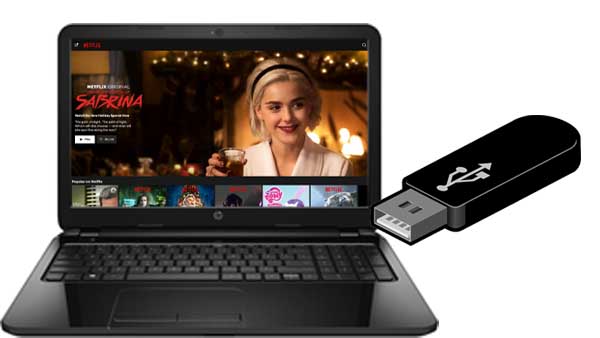
Kigo Netflix Video Downloader (Win / Mac) is a tool used to solve the problem. With it, users can easily download various Netflix movies, TV shows, original series and documentaries on PC or Mac, and save them to MP4 format and copy to other video player, device or USB flash drive at ease. And during the download process, the audio track and subtitles can also be kept. You can also download 1080p quality video if your Netflix streaming plan supports HD quality.
Kigo Netflix Video Downloader
- Download any Netflix movies, TV shows and original series without limits.
- Convert movies and TV shows to MP4 and MKV in 1080p quality.
- Support Dolby Atmos and EAC3 5.1 audio for immersive listening experience.
- Save entire episodes in batch at up to 10× faster speeds—without ads.
- Enjoy permanent offline playback of Netflix videos on any device.

100% Secure

100% Secure
Step 1 Free download, install and run the latest version of Kigo Netflix Video Downloader.
Step 2 Add movies to Download.
If you have the Netflix videos' url you want to download, just copy and paste them to download. You can also search the videos to download.
After you find the videos, click the Download button.
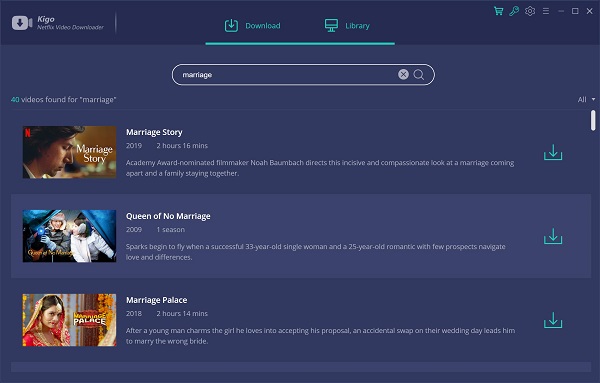
Step 3 Select the movie and click the download button.
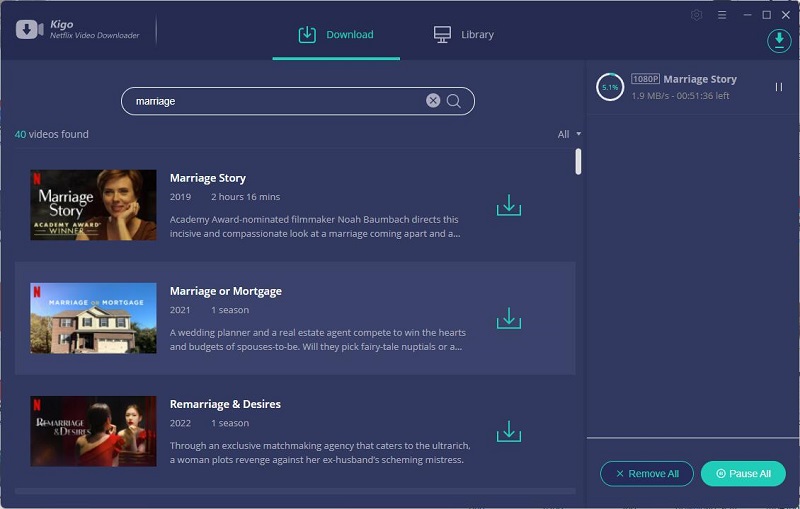
Step 4 Copy Netflix Downloads to USB.
Once the downloading is finished, you can click the "Library" to find the downloaded movies. Connect your USB flash drive to your computer and then drag the downloaded Netflix movies to USB.
Conclusion
USB flash drive gives users a other choice to backup or save the local and downloaded videos. However what you have downloaded from Netflix app, you can't copy them to USB flash drive. Kigo Netflix Video Downloader gives users more choices and freedom to deal with the downloaded videos from Netflix.
100% Secure
100% Secure
Useful Hints
Kindly be aware that the trial version allows downloading only the initial 5 minutes of each video. To fully enjoy the complete video, we recommend purchasing a license. We also encourage you to download the trial version and test it before making a purchase.
Videos from Netflix™ are copyrighted. Any redistribution of it without the consent of the copyright owners may be a violation of the law in most countries, including the USA. KigoSoft is not affiliated with Netflix™, nor the company that owns the trademark rights to Netflix™. This page is provided for compatibility purposes only, and in no case should be considered an endorsement of KigoSoft products by any associated 3rd party.
💡 Highly Recommended: Kigo Movie One

Want to download video from Netflix, Disney+, Amazon Prime, Hulu, HBO Max, Apple TV+, YouTube, Facebook and 1,000 more sites? Kigo Movie One is the top pick! Learn More >>