Two Proven Methods to Download Amazon Video to PC

From Amazon Help & Customer Service, it told that "To download Prime Video titles for offline viewing, you need a Fire tablet, or the Prime Video app for iOS, Android or Windows 10." In other words, if you want to download Amazon videos to your mobile device which supports Prime Video app, or want to download on your Windows 10, you can use the built-in "Download" function to help you. If you are non-Windows 10 users, how to download Amazon videos so as to play offline or watch these downloaded videos on other device.
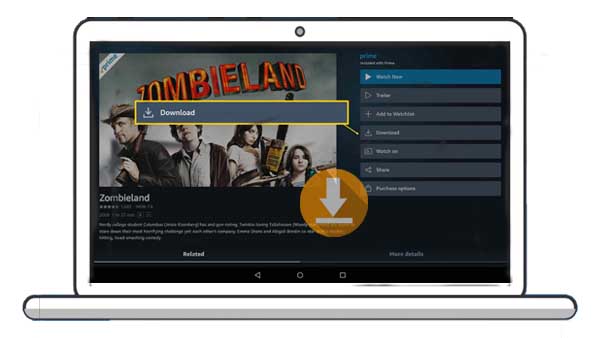
In the following, it lists the two proven methods to download Amazon Prime Videos to your PC.
Method 1. Download Amazon Videos with Prime Video App
Firstly, open the Prime Video app on your device, and find the title you want to download.
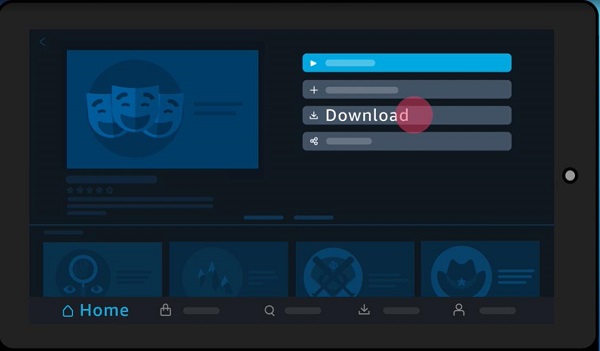
In the Prime Video app for Android and Windows 10, you will be able to select where these downloads are saved. We do not recommend these are saved onto USB-connected drives.
For movies: Select the option to download the title from the detail page.
For TV shows: There is an option download the entire season. To download individual episodes, select the download icon on the list of episodes.
Please note that at present, the playback of downloaded content over Chromecast or Airplay is not permitted. Offline playback to a television is possible with devices that support this, using the appropriate adaptors.
Method 2. Download Amazon Videos with Amazon Video Downloader
If you can't install Prime video on your computer, this method is what you need. Even you don't have installed Prime Video app on your pc, just download Kigo Amazon Video Downloader and install to download Amazon videos as you like.
Kigo Amazon Prime Video Downloader is mainly used to download movies, TV series and documentaries from Amazon Prime and save in MP4 or MKV format with audio track and subtitles kept. And it also supports up to 1080p quality video downloading.
Amazon Video Downloader
- Download Amazon movies, TV shows, and original series.
- Save Amazon Prime videos to MP4 or MKV formats.
- Select audio tracks and subtitles to keep.
- Support up to 1080p HD videos with 5.1 audios.
- Fast speed and easy to operate.
Kigo Amazon Video Downloader
- Download unlimited Amazon Prime videos in MP4 or MKV format.
- Save videos in up to 1080p Full HD quality directly to your computer.
- Preserve multi-language audio tracks (including EAC3 5.1) and subtitles.
- Download full episodes in batch at up to 10× faster speeds.
- Bypass the 48-hour expiration limit—keep your movies permanently.

100% Secure

100% Secure
Steps to Download Amazon Videos to PC
Step 1. Click to download the latest version of Amazon Prime Video Downloader, install and run it.
Once you install and run software, if you have purchased the full version, just register to active it.
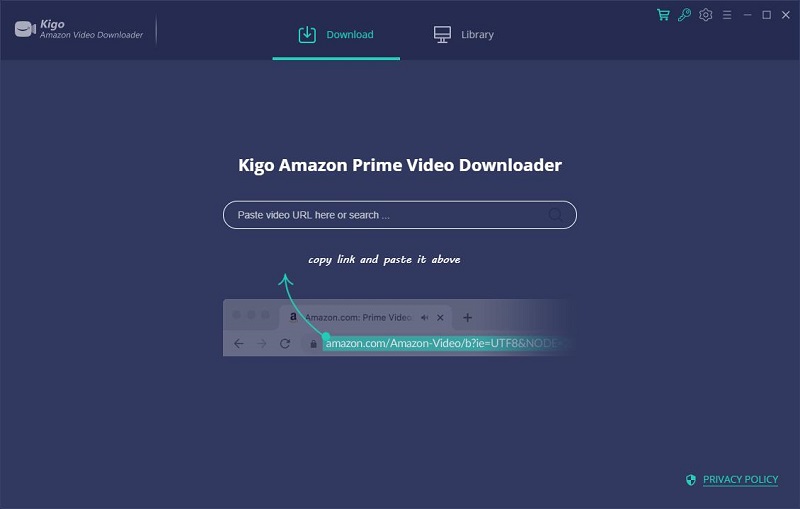
Step 2. Add Amazon videos to download.
There are various methods to add Amazon videos to download. You can directly enter the video name or copy or drag the video link url to add Amazon Prime videos to Kigo.
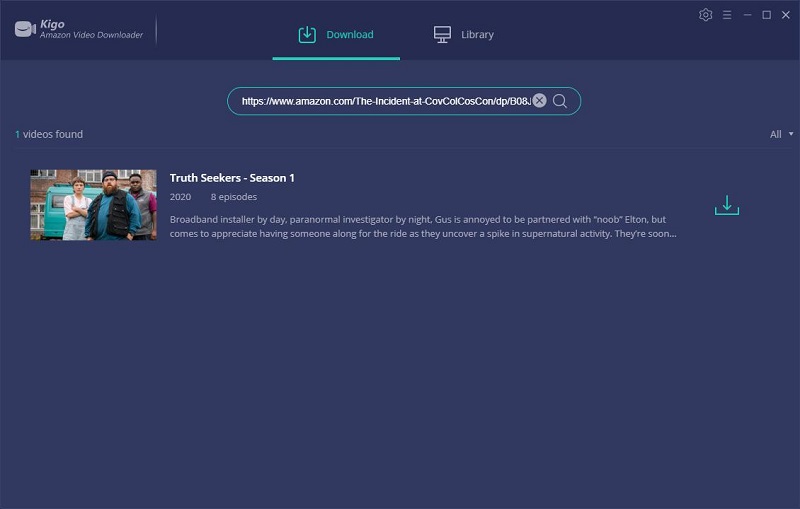
Step 3. Customize Download Settings
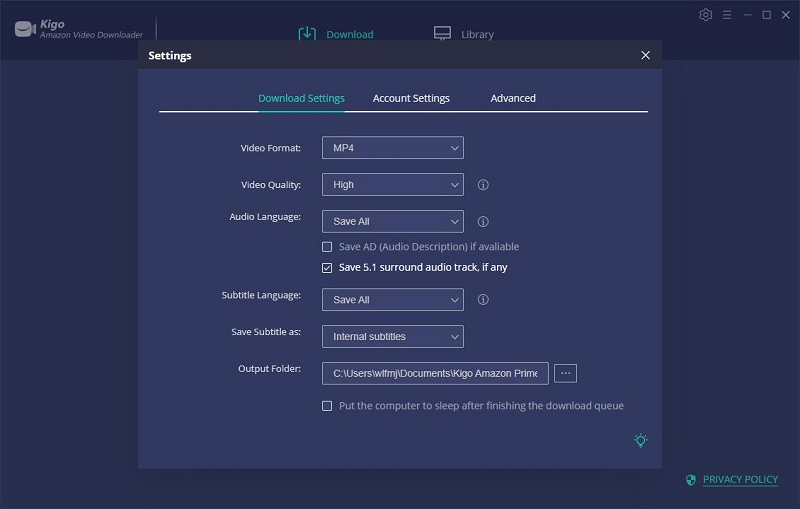
From the "Download Setting" window, users can choose the TV season, download video quality, audio track and subtitles as you need.
Once you complete the settings, you can close the setting window and click the "Download" icon.
Step 4. Start Downloading.
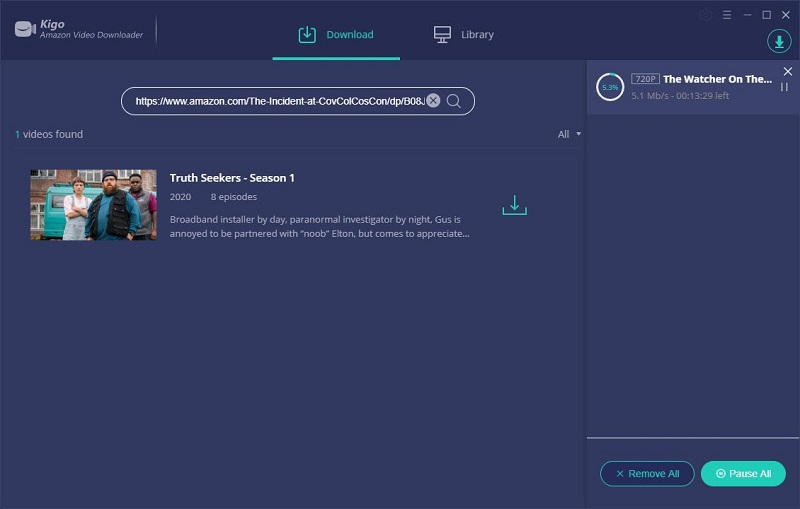
Now you can click the "Download" button to start to download Amazon movies or TV shows.
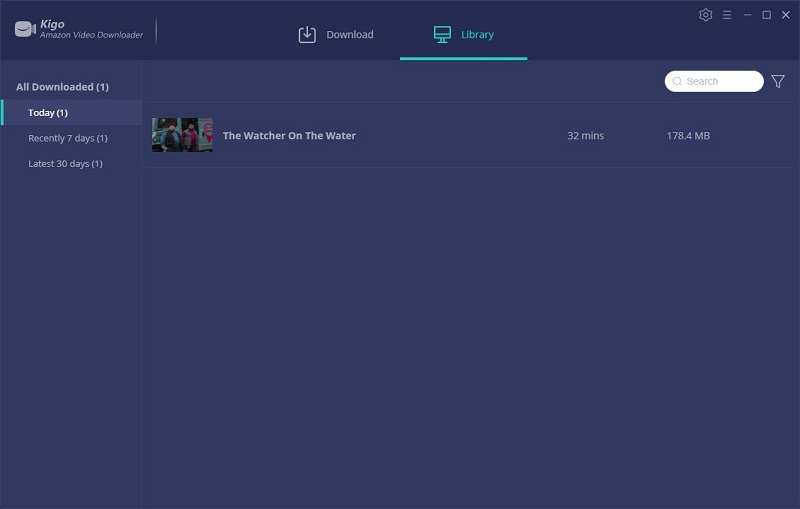
When the downloading is completed, you can click on "Library" - Folder icon to find the downloaded Amazon videos.
Conclusion
With Kigo Amazon Video Downloader, there is no need to worry about downloading Amazon videos even you have a Win 7 / Win 8 PC, and the downloaded videos can also be transferred to other devices or video player.
100% Secure
100% Secure
Useful Hints
Kindly be aware that the trial version allows downloading only the initial 5 minutes of each video. To fully enjoy the complete video, we recommend purchasing a license. We also encourage you to download the trial version and test it before making a purchase.
Videos from Amazon™ are copyrighted. Any redistribution of it without the consent of the copyright owners may be a violation of the law in most countries, including the USA. KigoSoft is not affiliated with Amazon™, nor the company that owns the trademark rights to Amazon™. This page is provided for compatibility purposes only, and in no case should be considered an endorsement of KigoSoft products by any associated 3rd party.
💡 Highly Recommended: Kigo Movie One

Want to download video from Netflix, Disney+, Amazon Prime, Hulu, HBO Max, Apple TV+, YouTube, Facebook and 1,000 more sites? Kigo Movie One is the top pick! Learn More >>
Must-Have Tool

Amazon Video Downloader
Download and save your favorite Amazon Prime movies, TV shows, and original series in 1080P MP4 video!
Download for Windows Download for MacMust-Have Tool
Amazon Video Downloader
Unlock the Ultimate Entertainment Experience: Download Various Movies and TV Shows from Amazon Prime Videos in HD MP4 / MKV!
Download for Windows Download for MacAmazon Tips to Boost Your Binge-Watching
- Play Amazon Videos on Samsung Smart TV
- Backup Amazon Videos
- Download Amazon to PC
- Download Amazon Purchases
- Save Amazon to SD Card
- Transfer to External Hard Drive
- Download Amazon on Mac
- Download Amazon Movies to MP4
- Play Amazon on VLC
- Fix Amazon Not Working on Roku
- Burn Amazon to DVD
- Play Amazon Videos on Apple TV
- Save Amazon Videos to USB
- Watch Amazon on Nintendo Switch
- Play Amazon Videos on Windows Media Player
- Remove Amazon Prime Download Limit
- Amazon Video Downloader Review
- Where Amazon Video Downloads Stored
- Amazon Downloads Limit Exceeded
- Cancel Amazon Prime Subscription
- Extend the Expiration Date
- Add Amazon Videos to Adobe Premiere Pro
- Fix Amazon Prime Video Buffering
- Download The Marvelous Mrs Maisel
- Watch Amazon Prime Videos Offline
- Download Fast and Furious Movies
- Share Amazon Videos with Family
- Amazon Prime Downloads Last Period
- Download Amazon Video with Free Trial
- Play Amazon Prime Video on JRiver
- Watch Amazon Prime Video Without Internet
- 8 Ways to Screen Record Amazon Video
- Rip Amazon Prime Video
- Record Prime Video on Devices
You May Like





Ashley Rowell, a senior staff writer, is an expert in video and audio subjects, specializing in streaming video and audio conversion, downloading, and editing. She has a deep understanding of the video/audio settings for various devices and platforms such as Netflix, Amazon Prime Video, Disney Plus, Hulu, YouTube, etc, allowing for customized media files to meet your specific needs.