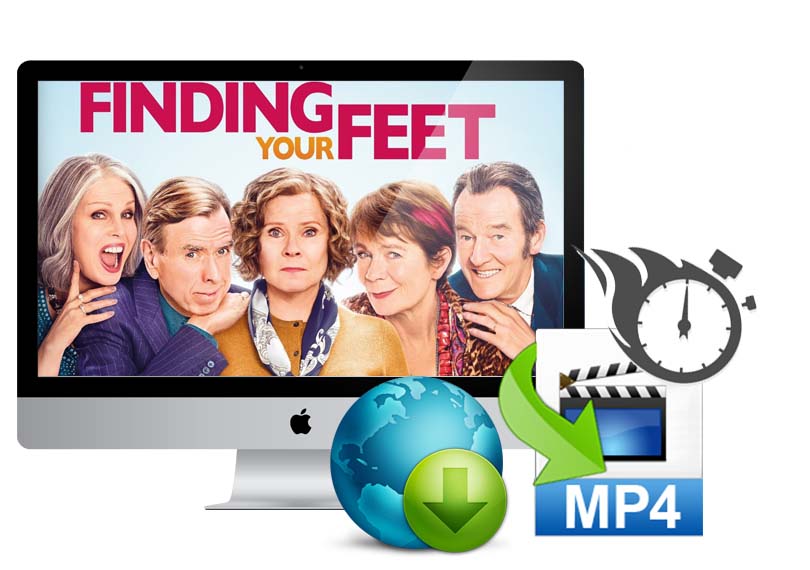
Kigo Video Converter Free for Mac
All-in-one free video converter, free video editor, free website video downloader.
- Kigo Video Converter for Mac supports converting all popular video formats including flv, MPEG1, MPEG2, MP4, 3GP, 3G2, MOV, AVI, M2TS, MPEG TS/TP (for HD Video), M4V, etc with perfect output quality and high conversion speed for Mac OS X users. You can also extract audio from videos.
- The free video converter offers various powerful functions to edit your video files, such as trimming movies into segments, merging files to single file, cropping video size, setting video effects, and even adding watermark onto your movies.
- It's also a web video downloader to download videos from YouTube, Dailymotion, Metacafe, Hulu, Facebook, Vimeo, Dailymotion, Vevo, AOL, Metacafe, Break, BlipTV, FunnyOrDie, adult, etc and convert them.
- Kigo Video Converter Pro for Mac OS X is a more powerful video converter. It has pre-defined settings for iPod, iPhone, PSP, etc. The Ultimate Version is also provides, you can take a try.
Version: 6.1.4 Size: 40.6 MB Support OS: Mac OS X 10.6, 10.7, 10.8
To get the version for OS X 10.5 or early, please click here
It's a Freeware
Kigo Video Converter is a powerful video converter and online video downloader freeware, which supports converting most popular video formats and downloaded videos for iPod, iPhone, PSP, iRiver and other portable video players. There is no addtional costs to get the full version and upgrade without any limitations.
Convert videos as you like
Support any videos
Convert almost all video formats including DivX, XviD, MOV, rm, rmvb, MPEG, VOB, DVD, WMV, AVI to MPEG-4 movie format and downloaded videos with unmatchable speed and high quality.
Extract audio from Video / DVD
Extract audio files from the videos and can be saved as MP3, AAC, WMA,OGG and other audio formates for use.
Work for kinds of video player devices
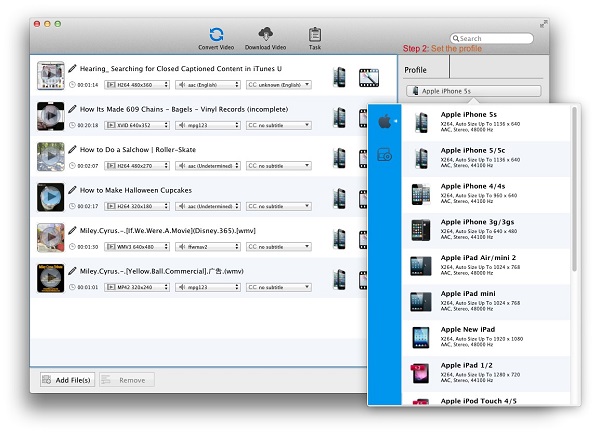
Provide output presets for almost all popular video players like iPod touch, iPod classic, iPod nano, iPhone, Apple TV, PSP, PS3, Creative Zen, iRiver PMP, Archos, various video mobile phones and many other digital video and audio players.
Free video downloader and converter
Download videos from multiple video websites
Download videos from break.com, comedycentral.com, dailymotion.com, facebook.com, liveleak.com, howcast.com, metacafe.com, movieclips.com, mtv.com, mtvhive.com, photobucket.com, southparkstudios.com, thedailyshow.com, veoh.com, youtube.com, youku.com and more in the future.
Support batch download videos
You can import a series of DVD download urls and download them in batch. You can use "Max count of download tasks" to set several tasks at a time up to 5. The default task is 3.
Customize the download directory
Before you download the videos, you can customize the download directory through the main menu "App Name->Preferences->Download". You can also use the default Download Directory is /Users/user/Movies/Kigo Video Converter/Download.
Edit videos if necessary
Trim video clips
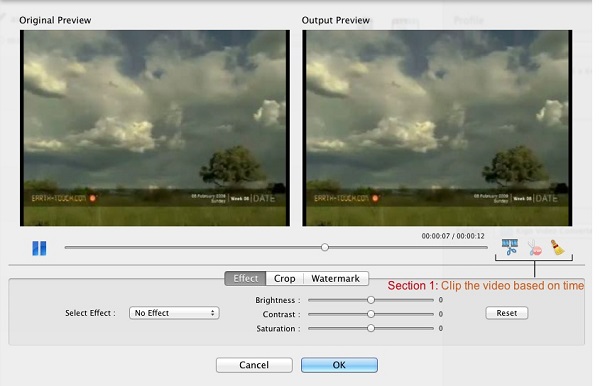
Set the start time and stop time to convert video segments before conversion.
Crop Frame Size to remove the unwanted
Crop the picture frame of a video to remove any unwanted areas from it using this video converter like a pair of smart scissors.
Add Special Effects to Video
Add special effects such as as Mirror, Flip, Noise, Smartblur to make your video special. Meanwhile, you can adjust video brightness / saturation / contrast.
Add text / picture Watermarks to Video
With Free Video Converter, you can personalize your video with multiple picture or text watermarks added.
Merge videos into one
If there are several files in the file list, just drag the videos to another video, and then they will be melt one automatically. But You can't edit effect and add subtitles to the merged file, and can't merge DVD or screen recorded file.

Easy, fast and mature
Batch conversion
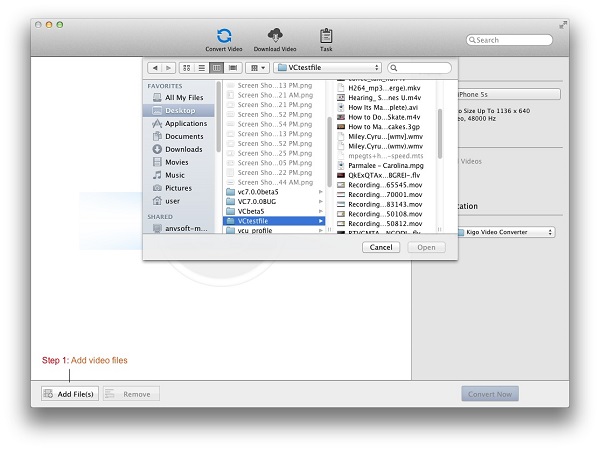
With the batch conversion, there is no need to add one to convert one. You can convert multiple files at the same time.
Easy to use
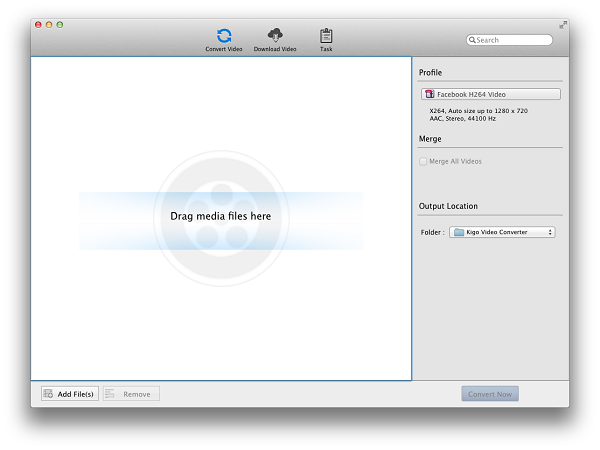
With the user-friendly interface, you can use the video converter to convert your videos, download videos or edit video just in a minute.
BCustomized the profile
Customize output parameters for target files, like bitrate, frame rate and sample for output audio files.
Output file manager
With the File library, you can find and manage the converting, downloading, converted and downloaded in My File quickly.
High conversion speed
High performance on the conversion speed and output quality. Kigo Video Converter Ultimate for Mac does a perfect DVD ripping and video converting job for you.
- Mac OS X 10.6 or later.
- Since version 5.0.0, KVC Free only has Intel-based version.
- At least 512M physical RAM.
- 1G Hz Intel or PowerPC processor, or above.
- 1024*768 resolution display or higher.
Learn in converting to popular MP4 player
Convert DVD to iPod & iPhone
Learn more with converting DVD or video to play on iPod & iPhone. Learn more